UNDERSTAIRS

For your own Jellyfin, Emby or Plex server

Your own library, on your TV and your phone.

UNDERSTAIRS plays the films, shows and music on your own server. On your phone, Smart downloads keep your next episodes ready. On your TV, Home opens on what you were watching.

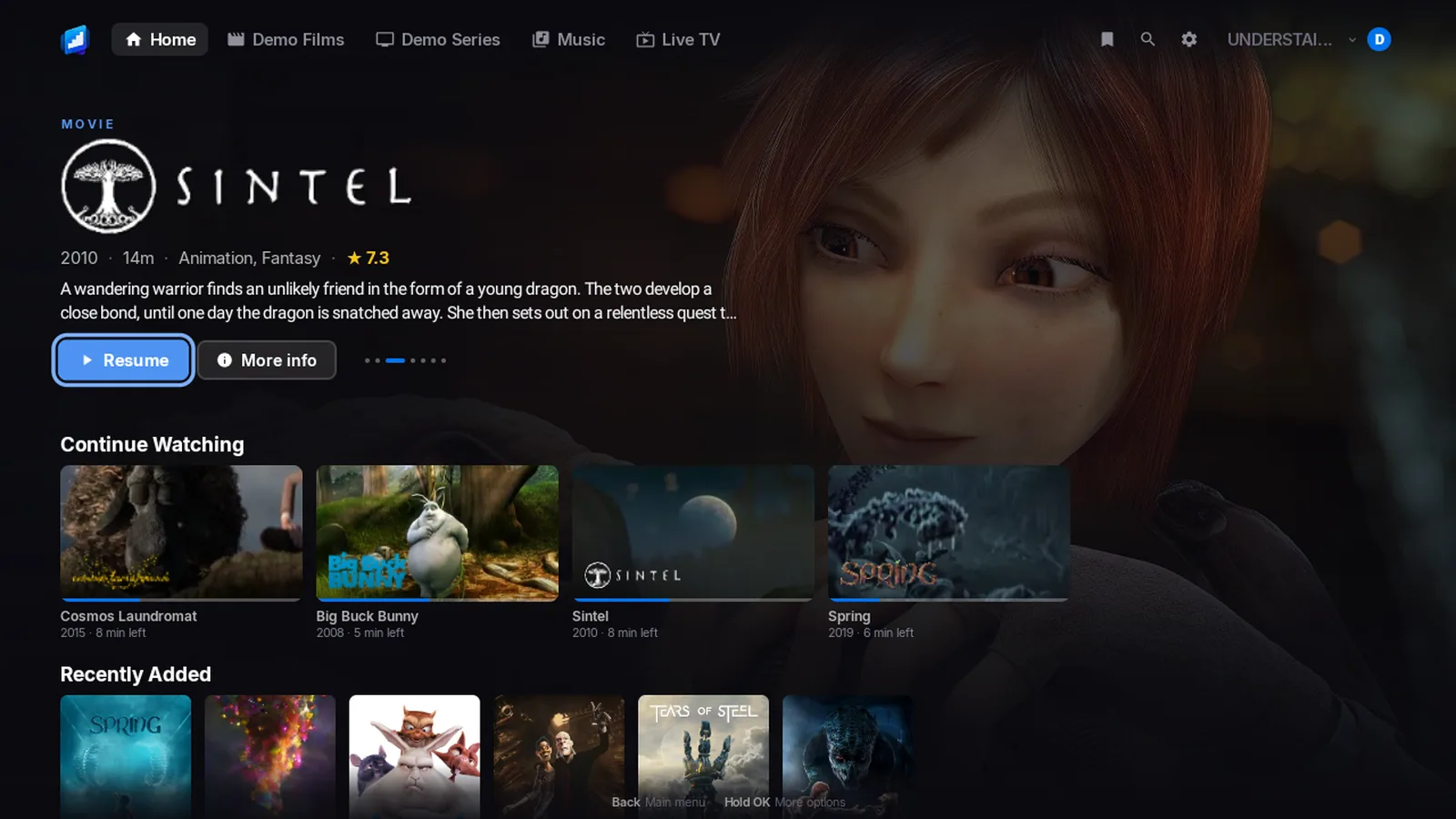
The TV home screen: the film Sintel on a full-screen backdrop with its logo, then a Continue Watching row.

Preview film coming soonSintel, by the Blender Foundation (CC BY)


Reasons to buy

Why you will want it.

Each one says which apps have it. The small print is in Good to know, at the end of the page.

On iPhone and Android phone

Smart downloads

Tell your phone to keep the next 1, 2, 3 or 5 episodes of a show ready.

Finish one and the next is already there. The one you watched clears itself off, even if you watched it on your TV.

When a new episode arrives, the app gets it ready and gives you a nudge. Downloads wait for Wi-Fi unless you say otherwise.1

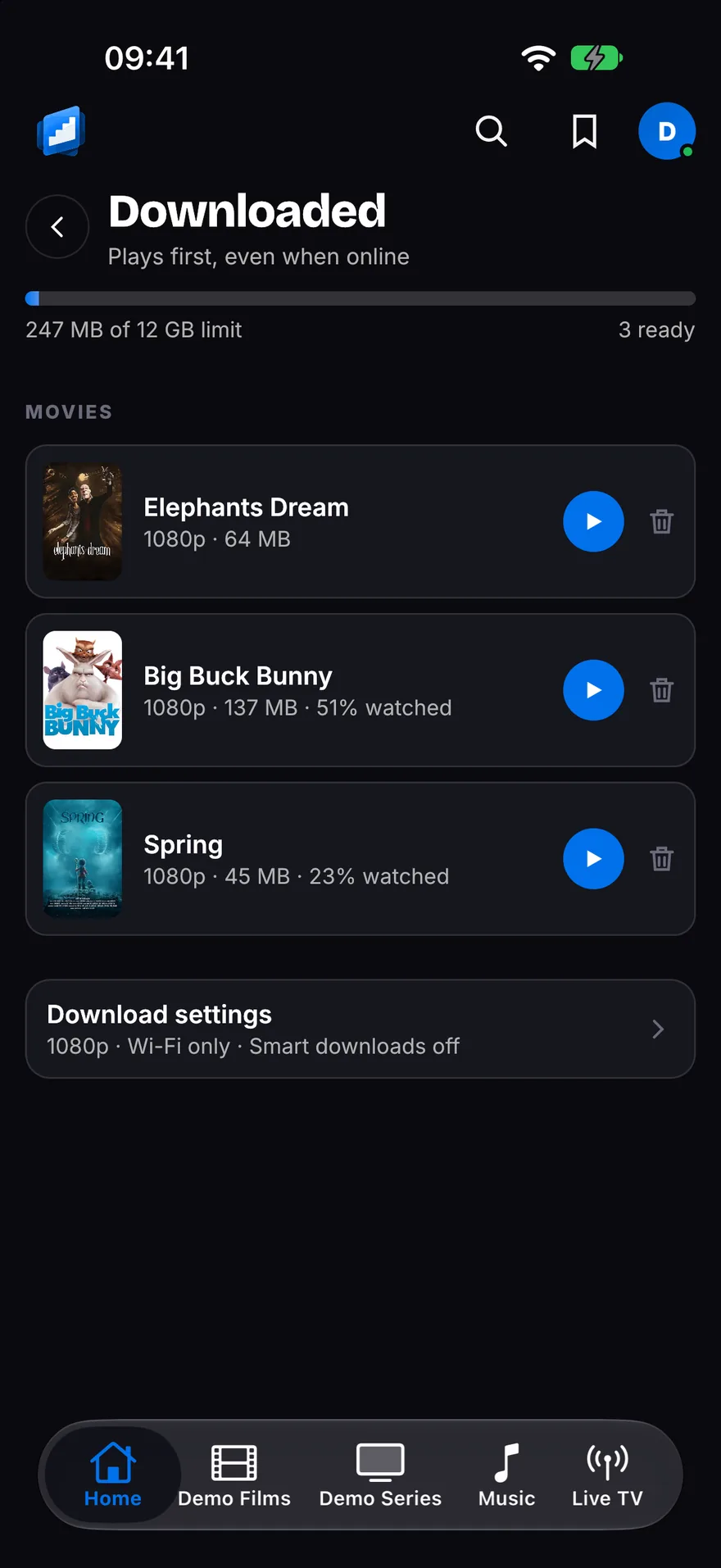
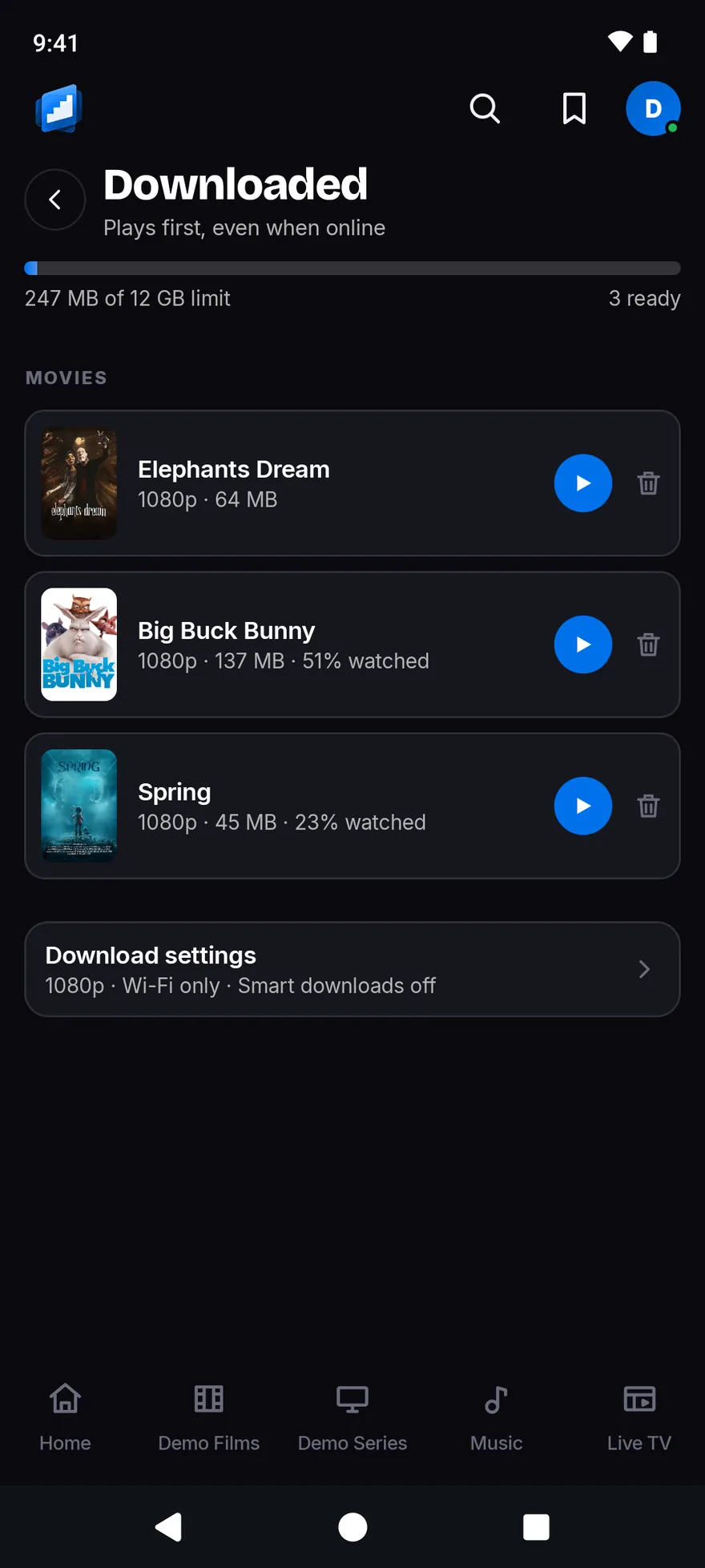
The Downloaded screen with a storage meter and three films ready to play: Elephants Dream, Big Buck Bunny and Spring.

On Fire TV, Android TV, iPhone and Android phone

Straight back in

Home opens on what you were watching, and on the next episode of your shows.

Each one shows the title’s own logo. Press OK, or tap, and it plays. There is no page to open first.

The TV home screen: the film Sintel on a full-screen backdrop with its logo, then a Continue Watching row.

On Fire TV, Android TV, iPhone and Android phone

Skip the intro, skip the credits

One press jumps over the intro. Another jumps over the credits.2

On a phone, it can skip them for you.

On Fire TV, Android TV, iPhone and Android phone

No needless converting

The app asks your TV, stick or phone what it can play, and sends the film as it is.6

Your server converts only what your screen cannot play.

On Fire TV and Android TV

Surround sound, left alone

Dolby sound goes to your soundbar or TV exactly as it is. DTS does too.7

Prefer plain stereo? Switch it off in Settings > Sound.

On Fire TV, Android TV, iPhone and Android phone

Live TV and recordings

Watch your server’s live channels and open the guide.3

Record a programme or a whole series. Start a live programme again from the beginning.

On iPhone

CarPlay

Your music on the car screen: Home, Library, Search and the music you downloaded.4

Say what you want and it plays. Switch server, shuffle, repeat and see what is next.

On iPhone, with Apple Watch

Apple Watch music

Your music on your wrist.5

It works on its own, with albums and playlists saved on the watch, or as a remote for your iPhone.

Set a sleep timer, and turn the crown for volume.

On Fire TV, Android TV, iPhone and Android phone

Who is watching

Everyone in the house gets a profile of their own, with their own history.

Add a PIN if you like.

On every app

All your servers in one app

Add Jellyfin, Emby and Plex side by side, and switch between them in a moment.

The app looks for servers on your network, so you may not need to type an address.

On the TV

Open it and you are back in the film.

The TV app is made for the remote: big artwork, a selection ring you can always find, and Continue Watching first. Scroll down to see it in action.

01

Pick up where you stopped.

Home opens on a big banner, then Continue Watching and Next Up. Press OK on a film or an episode and it plays.

The TV home screen: the film Sintel on a full-screen backdrop with its logo, then a Continue Watching row.

02

Every title gets its own page.

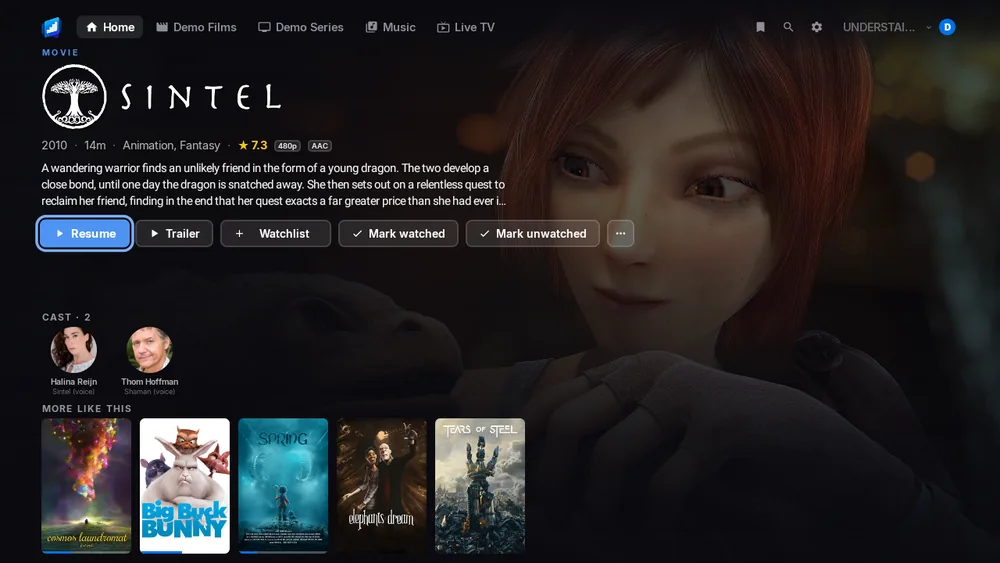
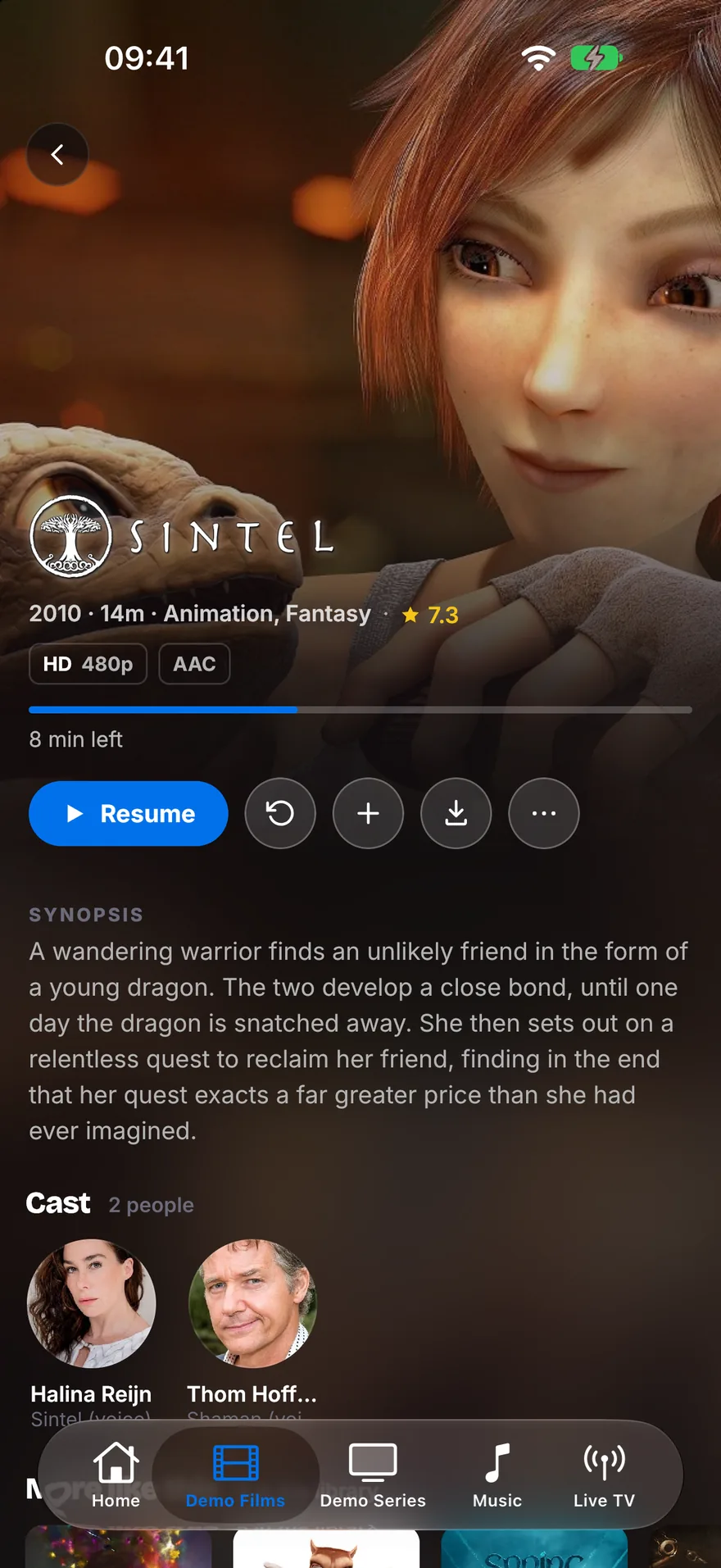
You see the artwork, the title’s logo, the cast and a short story. Play, Trailer, Watchlist and Mark watched sit right underneath.

A title page for Sintel: its logo over the backdrop, the synopsis, Resume, Trailer, Watchlist and watch-mark buttons, and the cast.

03

Audio, subtitles and quality are one press away.

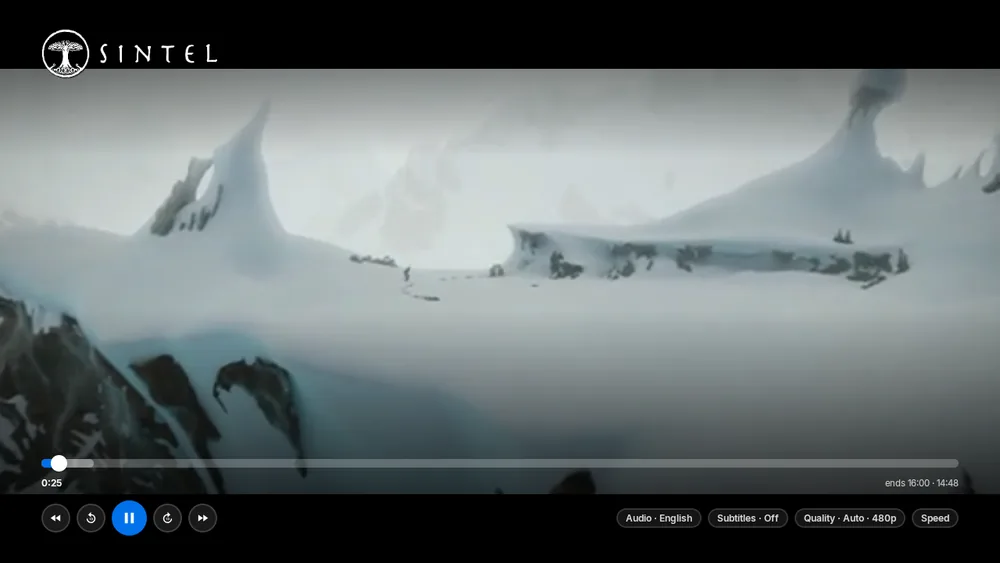
Pick your language, your subtitles or your quality from one bar. The app asks your TV what it can play, so your server converts only what it has to.

The player showing Sintel with the title logo, a progress bar, and Audio, Subtitles, Quality and Speed buttons.

04

Hold OK for a quick menu.

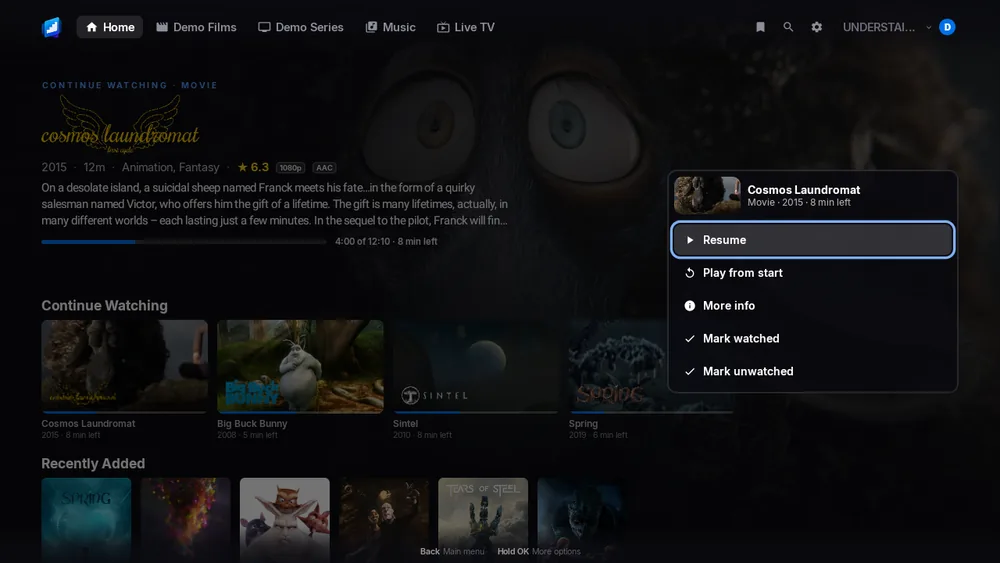
Hold OK on any poster and a menu opens with Play, More info and Mark watched. You never leave the row.

The home screen with a menu open over the film Cosmos Laundromat, listing Resume, Play from start, More info and the watch marks.

05

Your music is here too.

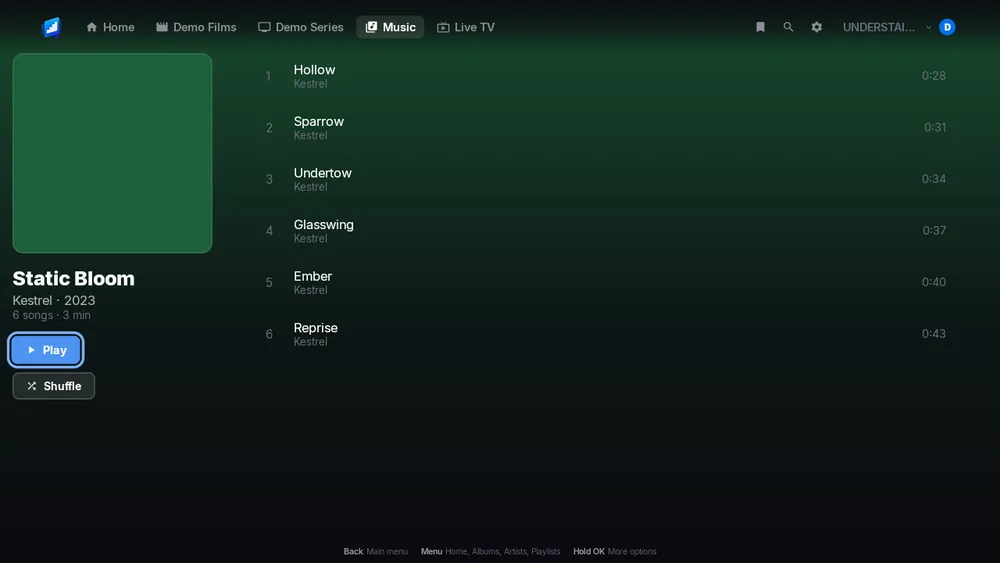
Open an album and press Play or Shuffle. Add songs with Play next or Add to queue.

An album page for Static Bloom with a six-song track list and Play and Shuffle buttons.
The TV home screen: the film Sintel on a full-screen backdrop with its logo, then a Continue Watching row.A title page for Sintel: its logo over the backdrop, the synopsis, Resume, Trailer, Watchlist and watch-mark buttons, and the cast.The player showing Sintel with the title logo, a progress bar, and Audio, Subtitles, Quality and Speed buttons.The home screen with a menu open over the film Cosmos Laundromat, listing Resume, Play from start, More info and the watch marks.An album page for Static Bloom with a six-song track list and Play and Shuffle buttons.

Shown with the Blender Foundation’s open films.


On your phone

Take it with you.

Smart downloads keep your next episodes ready, so you can watch on a train or a plane with no signal. Your music comes with you too.

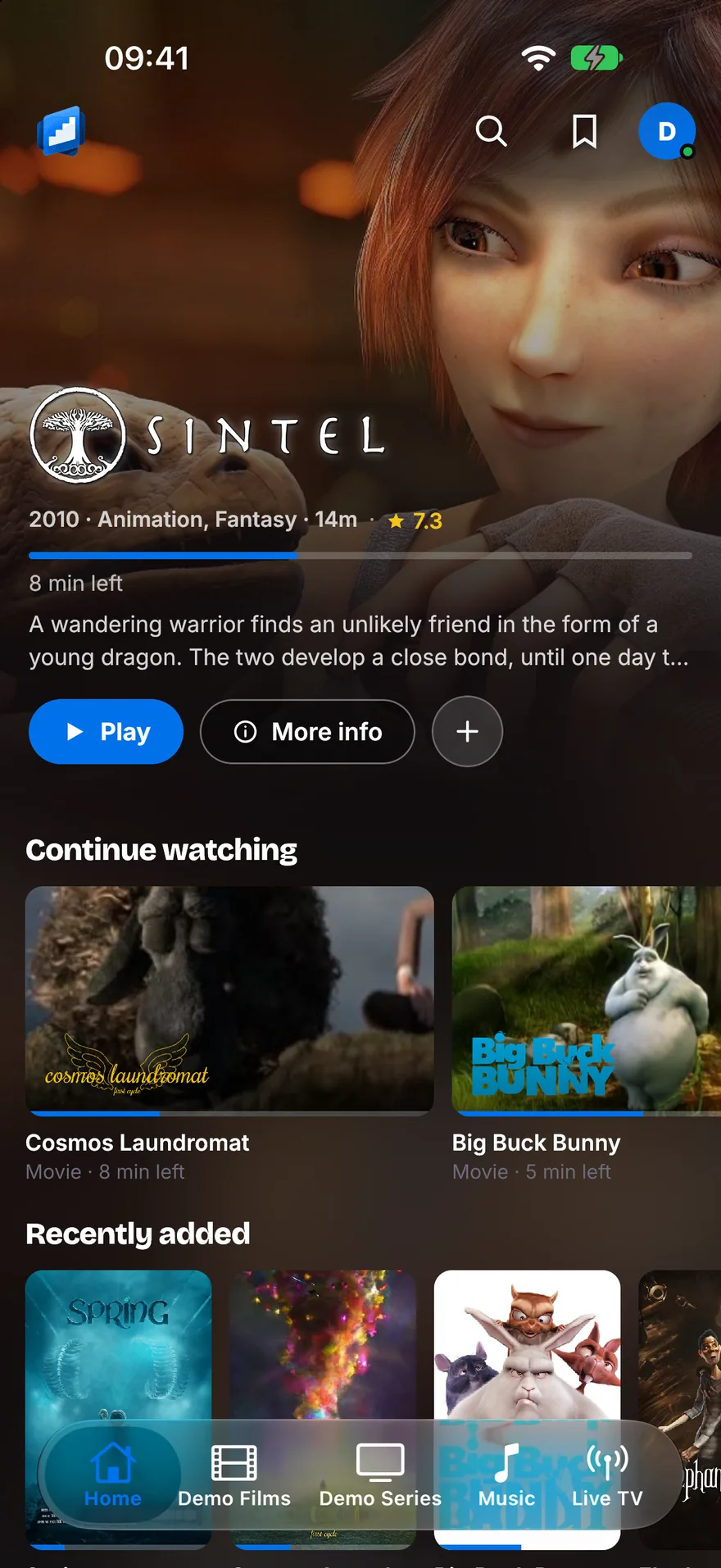
The phone home screen: Sintel on the banner with its logo, then a Continue watching row with Cosmos Laundromat and Big Buck Bunny.
HomeContinue Watching, and what is new.
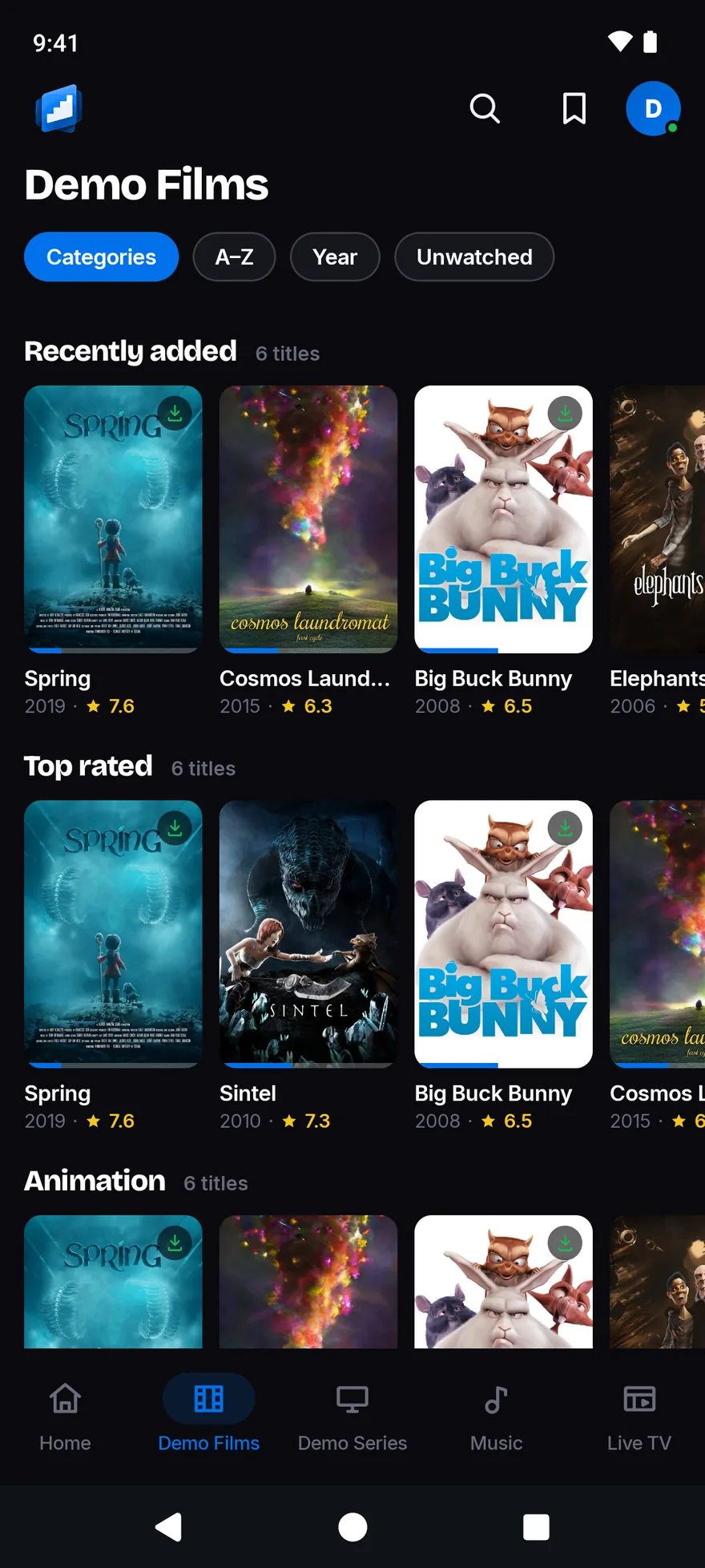
The Demo Films library with Categories, A to Z, Year and Unwatched chips, and rows of posters, some marked as downloaded.
LibrariesSort, filter and browse by category.
The Sintel page: its logo over the backdrop, a Resume button beside Play from start, Watchlist and Download, then the synopsis and the cast.
Title pagesDownload sits right next to Play.
The Downloaded screen with a storage meter and three films ready to play: Elephants Dream, Big Buck Bunny and Spring.
DownloadsWait for Wi-Fi if you like, and set a storage limit.
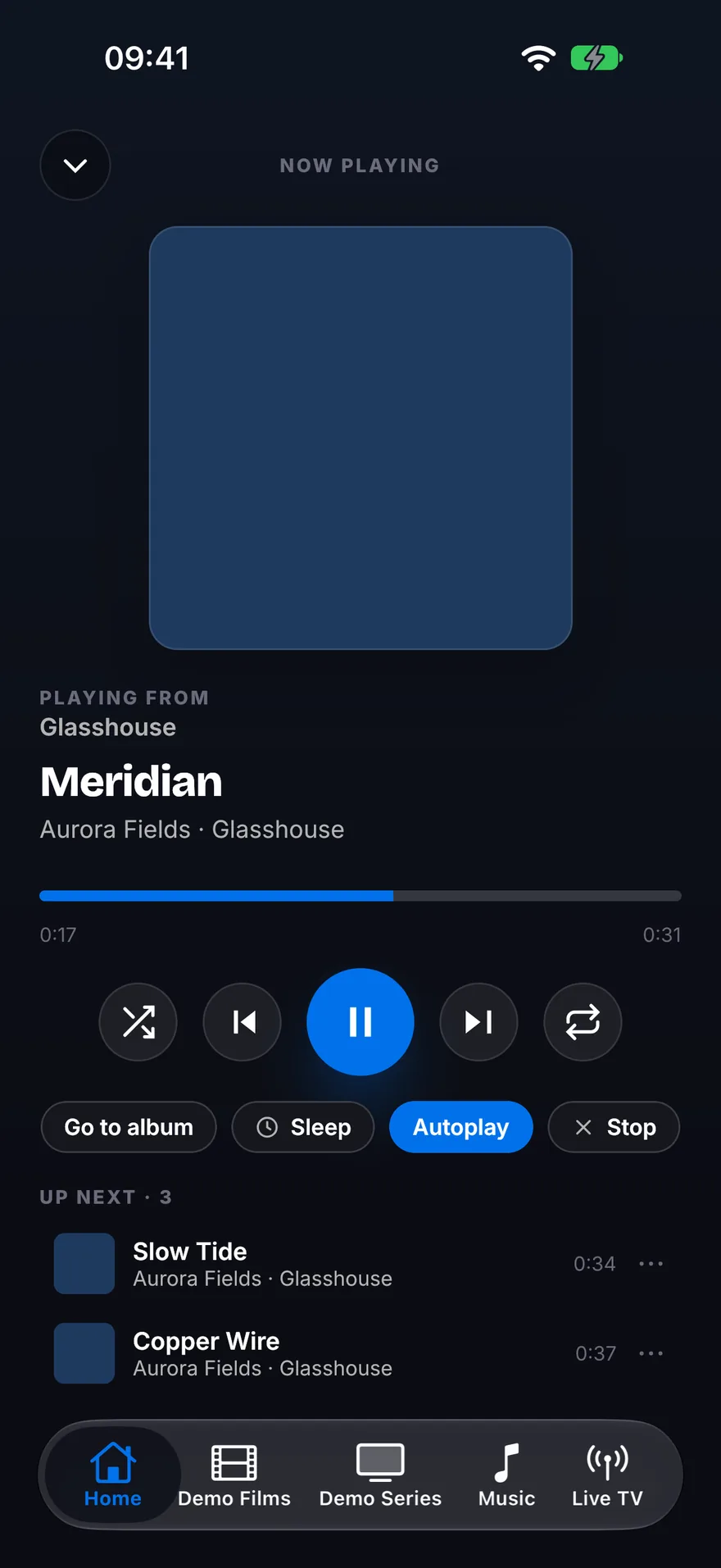
The Now Playing screen with the track Meridian, a progress bar, transport buttons, a sleep timer and an Up Next list.
MusicNow Playing, with Up Next underneath.
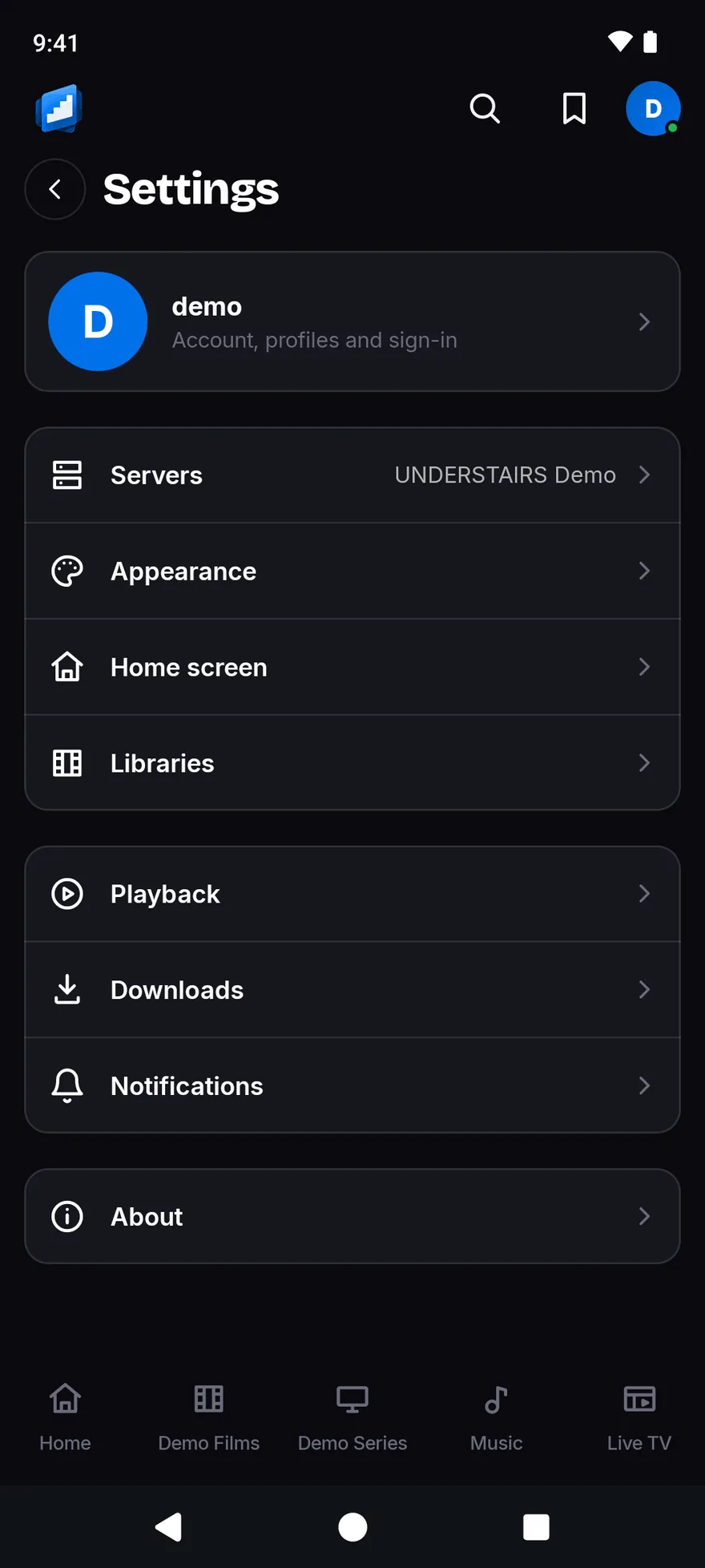
The Settings list: the account, Servers, Appearance, Home screen, Libraries, Playback, Downloads, Notifications and About.
SettingsSeven themes, downloads and more.

Every feature

See exactly what each app does.

One page lists every feature in every app. Each one says Yes or No, and the small print is spelled out, so you know before you buy.

Your server

Bring the server you already have.

JellyfinEmbyPlex

UNDERSTAIRS has no films or channels of its own. It shows what is on your Jellyfin, Emby or Plex server, and talks to that server directly. You do not need an account with us.

With Jellyfin and Emby, type the address or let the app look for your server. With Plex, you approve a link code on plex.tv, so the app never sees your Plex password.

UNDERSTAIRS is an independent app. It is not affiliated with, sponsored by, or endorsed by Plex Inc., The Jellyfin Project or Emby LLC. Their names only say which servers it works with.

Seven themes

Pick the colours you like.

Midnight, Slate, Ember, Crimson, Forest, Dusk and Cinema are in the TV and phone apps. The phones also have a Light theme and OLED black. Try one here. It lasts until you leave the page.


Private

No adverts. No analytics. No account with us.

The apps have no advertising, analytics or crash-reporting code, and we run no server for them to talk to. They talk to your server, and to Plex if you use Plex. The privacy policy lists exactly what is stored and what leaves your device.

Questions

The short answers.

Do I need a server?

Yes. UNDERSTAIRS shows what is on your own Jellyfin, Emby or Plex server. It has no films or channels of its own.

Until you add a server, you only see the sign-in screen.

Does it work on my Fire TV?

It works on Fire TV sticks, the Fire TV Cube and TVs with Fire TV built in. It is one app from the Amazon Appstore, and your device gets the right version.

The small print is under Good to know on the TV page, with the Fire TV devices it affects.

Is there an Android TV or Google TV app?

Yes. It is the same TV app as on Fire TV, made for Android TV and Google TV too. It is coming soon to Google Play.

Which phones and tablets does it run on?

iPhone and iPad with iOS 16 or later, and Android phones and tablets with Android 8.0 or later. Apple Watch and CarPlay come with the iPhone app. The watch app needs watchOS 10 or later.

Does it cost anything?

Each app is £1.99, paid once, with no subscription: Fire TV, Android TV and Google TV, iPhone and iPad, and Android phone and tablet. Each store sells its own app, so each one is bought on its own. The iPhone app covers your iPad too, and Apple Watch and CarPlay come with it. None of them is in its store yet. Email us and we will tell you the day each one arrives.

Does it work away from home?

Yes, if your server can be reached from where you are. A server you reach over the internet works like one on your own network. Films you downloaded to your phone play with no signal.

When can I get it?

No store has it yet. The Fire TV app is coming to the Amazon Appstore. The iPhone app is coming to the App Store. The Android TV and Android apps are coming to Google Play.

Email support@understairs.tv and we will tell you the day each one is out.

Is this made by Plex, Jellyfin or Emby?

No. UNDERSTAIRS is an independent app. It is not affiliated with, sponsored by, or endorsed by Plex Inc., The Jellyfin Project or Emby LLC.

The small print

Good to know.

Each note says who it affects, what you need, and why. The small numbers on this page point here.

  • 1. Smart downloads and alertsSmart downloads and alerts are for the phone apps. Smart downloads are off until you turn them on once in Settings > Downloads. Then you choose each show or season from its own page. New-episode alerts are not instant. Android phones check about every 15 minutes. On iPhone, iOS decides when the app can check, so an alert can be hours late. Opening the app checks straight away. With Plex, a title downloads only if your Plex server allows it.
  • 2. Skip intro and skip creditsThese need the marks your server holds. Jellyfin and Emby give both. Plex gives them where your Plex server has already found them.
  • 3. Live TV and recordingsYou need a TV tuner on your server. Emby needs Premiere, or recording permission for your account. Plex needs its recording feature set up first.
  • 4. CarPlayCarPlay is for iPhone, and it plays music only, with no video. Voice search is an extra. You switch it on once in your iPhone’s Settings, and it uses Apple’s speech recognition.
  • 5. Apple WatchThe watch app plays music only, with no video. It takes your servers from your iPhone, which you pair with the watch once.

Fire TV devices running Vega OS

Amazon runs these on its newer system, Vega OS. They are the Fire TV Stick 4K Select, the Fire TV Stick HD and the Fire TV Stick 4K (3rd Gen). Its other Fire TV devices run Fire OS. The app works the same on them, Sign in with Plex included. Here is what differs.

  • 6. Your server does more of the workAmazon’s player on these devices can’t jump around inside MKV files, a common kind of film file. It can also get stuck when a film starts partway through. So your server converts the film as it plays when you skip ahead in an MKV file. It does the same when you carry on watching any film more than a minute in. Your server needs to be able to convert video. On Jellyfin and Emby, 4K films need a powerful server. Plex only repackages the picture, which is light work.
  • 7. Surround soundWhen a film plays as it is, Dolby sound goes to your soundbar or TV unchanged. When your server converts a film for these devices, you get 5.1 surround sound instead. In our tests, Dolby sound inside a converted film went silent on them.